🎨 Character Consistency Audit
Problem: Newly generated pages (11 & 12) do not match the established Maya character design from Page 1.
Page 1 Maya: Yellow top, dark sleeves, white skirt, pink shoes, very specific copper curly hair shape, big expressive eyes.
Page 11 Maya: Blue dress, wings, halo, completely different face and hair style.
Page 12 Maya: Added an adult woman not in the story, child Maya wears white dress, doesn't match original design.
Reference: Original Maya (Page 1)
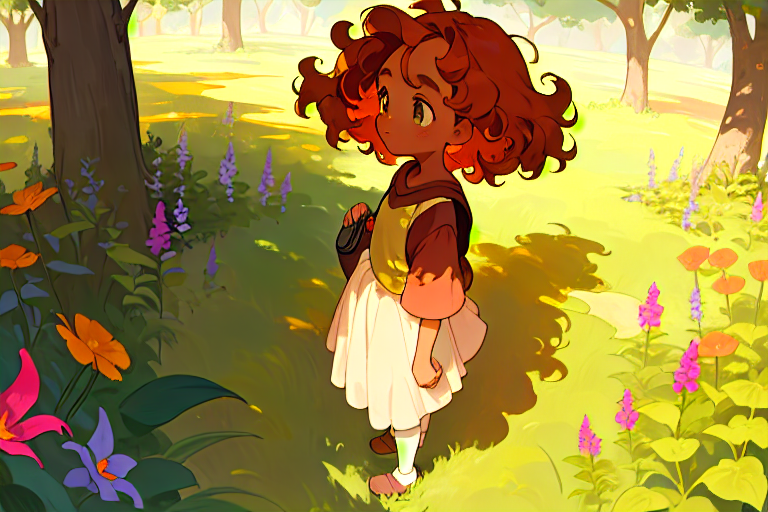
✅ CANON DESIGN — Yellow top, white skirt, copper curls, pink shoes
New Generations vs Reference
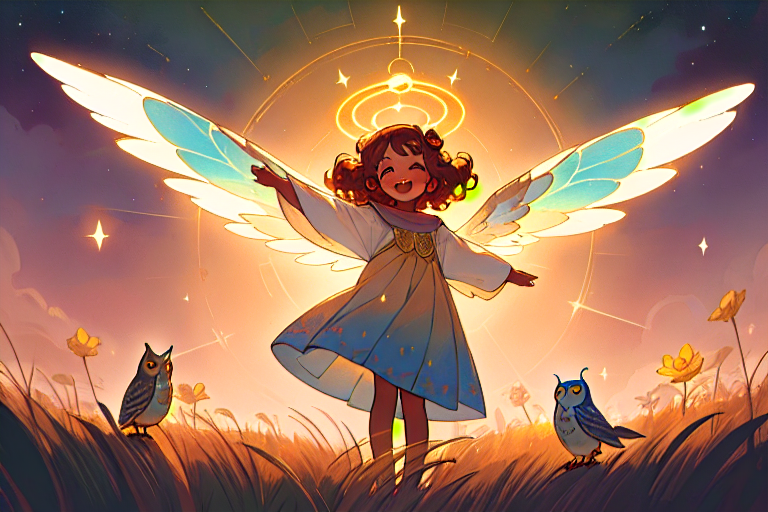
❌ MISMATCH — Wrong outfit (blue dress), wrong hair, angel wings/halo added
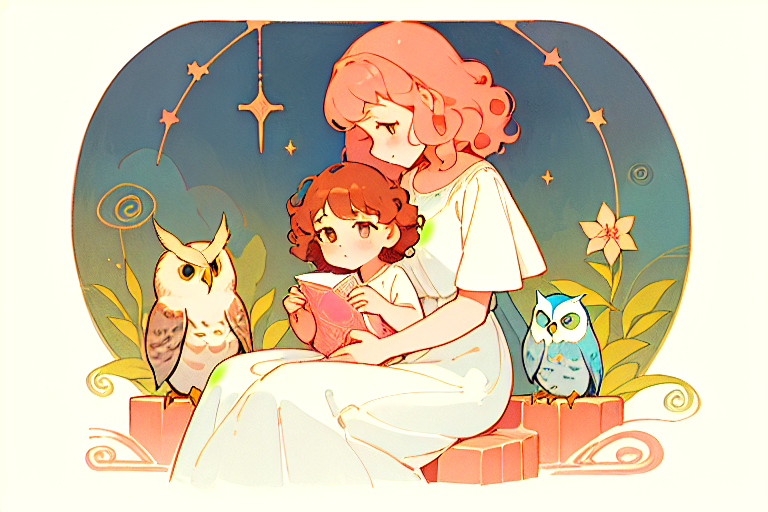
❌ MISMATCH — Adult woman appears, child Maya in wrong clothes, extra owls
Research: How to Fix This
Best options for ComfyUI / SD character consistency:
- IP-Adapter FaceID Plus v2 — Feed Page 1 Maya's face as reference. No training needed. Weight ~0.7-1.0.
- InstantID — Stronger face lock than IP-Adapter, good for maintaining exact character features across scenes.
- Fixed seed + same model — Lock the seed and only change the scene description. Brittle but fast.
- Train a LoRA — 15-30 images of Maya from different angles. Best long-term solution but takes ~30 min to train.
- Character sheet first — Generate a 4-angle turnaround of Maya, then use IP-Adapter on those.
Recommended path: Use IP-Adapter FaceID with Page 1 as the face reference, regenerate Page 11 and 12 with the same prompt but add the reference node.